
Transform Your Workspace: The Power of Decluttering
A cluttered workspace is more than just an eyesore. it’s a significant drain on your focus and efficiency. Imagine spending precious minutes each day searching for a pen, a document, or even your mouse. This lost time, coupled with the mental overhead of navigating disarray, can cripple your productivity. By taking deliberate steps to clear the clutter and boost productivity by cleaning up your workspace, you can unlock new levels of performance and well-being.
Last updated: April 23, 2026
Clearing the clutter in your workspace is a direct path to boosting productivity. A disorganized environment can lead to lost time, increased stress, and reduced focus. This guide provides actionable steps to transform your workspace into a productivity hub.
Why a Clean Workspace Matters for Productivity
The connection between a tidy environment and enhanced productivity is well-documented. When your physical and digital spaces are organized, your mind is freer to concentrate on the tasks at hand. This isn’t just anecdotal. research consistently shows a link between order and output.
According to a study by the Princeton University Neuroscience Institute (2011), visual clutter in your environment competes for your attention, resulting in decreased performance on cognitive tasks. In simpler terms, a messy desk can make it harder for your brain to focus on what’s important.
Also, a clean workspace can reduce stress levels. The National Institute of Mental Health (NIMH) has noted that clutter can contribute to feelings of being overwhelmed and anxious. By decluttering, you create a calmer, more controlled environment — which is conducive to focused work.
Step 1: The Physical Declutter – Starting with Your Desk
Your desk is the epicenter of your workspace. Tackling it first provides immediate visual and psychological wins. Start by removing everything from its surface. Yes, everything.
Categorize items into three piles: Keep, Donate/Recycle, and Discard. Be ruthless. Ask yourself: Do I use this daily? Is it essential for my current projects? If the answer is no to both, it likely belongs elsewhere or needs to go.
Actionable Desk Decluttering Tips:
- The One-Touch Rule: Handle each item only once. Decide its fate immediately rather than moving it around.
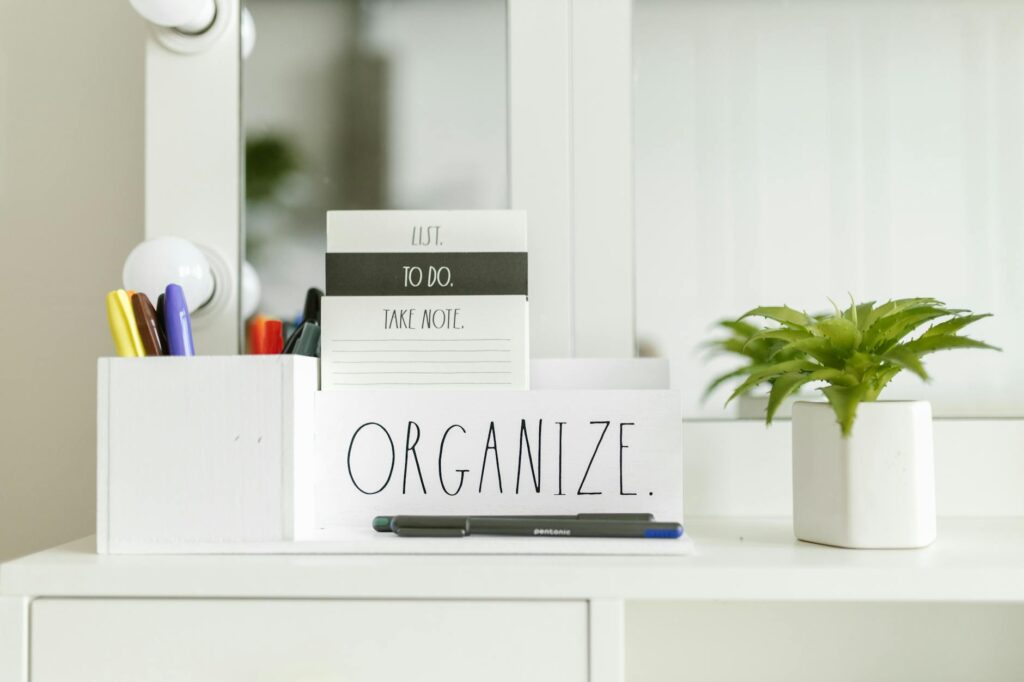
- Invest in Organizers: Use drawer organizers, pen holders, and document trays to give everything a designated home. Brands like U Brands offer stylish and functional solutions.
- Manage Cables: Tangled cords are visual clutter. Use cable ties, clips, or sleeves to keep them neat and out of sight.
- Regular Purge: Schedule a 5-minute desk clean-up at the end of each day. This prevents clutter from accumulating again.
Step 2: Beyond the Desk – Shelves, Drawers, and Storage
Once your desk is clear, expand your decluttering efforts to surrounding areas like shelves, cabinets, and drawers. These spaces often become dumping grounds for items that don’t have a clear home.
For Shelves: Group similar items together. Use decorative boxes or bins to contain smaller objects and create a uniform look. Avoid stacking items too high — which can create visual noise.
For Drawers: Drawer dividers are your best friend here. Assign specific drawers for specific categories of items (e.g., office supplies, personal items, technical accessories).
For Storage Units: Consider what truly needs to be stored. Archive old documents and files that are no longer actively needed. For bulky items or those used infrequently, consider off-site storage if your workspace is small, or hire a service like Little Green Junk for efficient removal of unwanted items.
Step 3: Taming Digital Clutter
These days, digital clutter is as detrimental to productivity as physical clutter. A disorganized computer desktop, overflowing inbox, and unmanaged cloud storage can lead to lost files and wasted time.
Desktop: Aim for a clean desktop, with only essential shortcuts. Most files should be organized within your folder structure. Consider the Microsoft 365 productivity tips which often emphasize digital organization.
File Management: Implement a consistent naming convention for your files and folders. Create a logical folder hierarchy that makes sense to you. Regularly delete duplicate or unnecessary files.
Email Inbox: Treat your inbox like a to-do list, not a storage unit. Aim for Inbox Zero by processing emails regularly: respond, delegate, delete, or defer (archive for later reference). Use folders and labels to categorize important emails.
Step 4: Creating a Productive Environment – Ergonomics and Aesthetics
Clearing the clutter is the first step. optimizing the remaining elements is the next. This involves ensuring your workspace is comfortable, functional, and conducive to long periods of focused work.
Ergonomics: Proper ergonomics are Key for preventing physical strain and maintaining focus. Ensure your chair supports your back, your monitor is at eye level (consider a monitor stand like those from Ergotron), and your keyboard and mouse are positioned to allow for neutral wrist posture.
Lighting: Good lighting reduces eye strain and can improve mood. Natural light is ideal, but if that’s not possible, ensure you have adequate task lighting and ambient light.
Air Quality and Temperature: A stuffy or overly cold/hot room can be distracting. Ensure good ventilation and maintain a comfortable temperature. A small plant can improve air quality and add a touch of nature.
Personal Touches: While avoiding clutter, a few personal items can make your space more enjoyable. A photo, a piece of art, or a motivational quote can boost morale without creating disarray.
Step 5: Maintaining a Clutter-Free Workspace
The biggest challenge after decluttering is maintaining the newfound order. It’s an ongoing process, not a one-time event.
Daily Habits: Spend 5-10 minutes at the end of each workday tidying up. Put things back in their designated places, clear your desk surface, and process any lingering items.
Weekly Review: Once a week, take a slightly longer look. File papers, organize digital files, and ensure all supplies are in order. This helps catch any small messes before they become big ones.
Mindful Consumption: Be conscious of what you bring into your workspace. Before buying new supplies or accepting new items, ask yourself if you truly need them and where they will be stored.
When to Call for Professional Help
Sometimes, the clutter has become overwhelming, and you need a more significant intervention. Here’s especially true for home offices that have become storage areas or when dealing with old, bulky, or broken items that are difficult to dispose of responsibly.
Services like Little Green Junk specialize in junk removal and can help you efficiently clear out large amounts of unwanted items. This allows you to start your decluttering process from a clean slate. For instance, if you’re renovating your office space or upgrading furniture, professional removal ensures that old items are handled ethically and efficiently, often with options for donation or recycling. Here’s a Key step before you begin the detailed organization process.
Frequently Asked Questions
How often should I declutter my workspace?
A light tidy-up should happen daily, perhaps at the end of your workday. A more thorough decluttering session is recommended weekly or bi-weekly, depending on your workflow and the rate at which clutter accumulates.
what’s the quickest way to declutter my desk?
The quickest way is to remove everything from the surface, sort items into Keep, Donate/Recycle, and Discard piles, then put back only the essential items you use daily.
How can I organize my digital files effectively?
Implement a clear folder structure, use consistent file naming conventions, and regularly delete unnecessary files. Cloud storage services like Google Drive or Dropbox can also aid organization with their search and organization features.
What are the benefits of a clean workspace beyond productivity?
Beyond productivity, a clean workspace reduces stress and anxiety, improves mental clarity, builds a more positive work environment, and can even enhance creativity by removing visual distractions.
Is it better to use physical organizers or just keep things minimal?
A combination is often best. Minimalist principles help reduce the sheer volume of items, while well-chosen physical organizers provide designated homes for essential items, preventing them from becoming scattered clutter.
Conclusion: Your Path to a More Productive Workspace
Clearing the clutter and boosting productivity by cleaning up your workspace isn’t just about aesthetics. it’s a strategic investment in your efficiency and well-being. By implementing the steps outlined – from the initial physical purge to managing digital chaos and maintaining order – you create an environment where you can truly thrive. Don’t let disorganization hold you back any longer. Start today, even with just 15 minutes, and experience the profound impact a clean, organized workspace can have on your focus, your output, and your overall job satisfaction.